A surveillance dealer needs more than a laptop that boots: the machine must handle live camera feeds, wired commissioning, evidence exports, quotations and remote support without failing in wet field conditions. By the end, you will have a practical specification, testing checklist and monsoon carry kit for choosing laptops that fit each job.
Key takeaways
- Match CPU, RAM and graphics performance to your camera-count and decoding workload.
- Test every USB, HDMI, Ethernet and Wi-Fi connection before accepting the laptop.
- Choose a rugged, portable machine for sites; use a larger desk laptop for office configuration.
- Require battery, storage, display, port and software test results in writing.
Match the laptop to the surveillance workload
Set the workload specification before comparing refurbished models: camera commissioning, live-view decoding, browser-based NVR configuration, evidence export, quotations, and remote support are separate tasks. A laptop that displays feeds during an installation is not automatically suitable for continuous recording.
1. Define the live-view target. Record the number of simultaneous 1080p and 4MP H.264 or H.265 streams the laptop must display, then require smooth playback without dropped frames. Include the VMS client, camera web pages, PDF quotation software, video player, and remote-support tool in the test workload.
2. Set a practical baseline for laptops for camera dealers: a current Intel Core i5 or AMD Ryzen 5 processor, 16 GB RAM, and a 512 GB SSD.
Microsoft’s Windows 11 baseline is only 4 GB RAM, 64 GB storage, a 1 GHz 64-bit processor with two cores, UEFI Secure Boot capability, and TPM 2.0; it confirms compatibility, not comfortable surveillance work.
3. Name the software and camera combination before purchase. Require compatibility with the exact VMS version, browser, camera firmware, and required ONVIF profile. ONVIF Profile S supports basic video streaming, but recording, storage, and event features need separate verification.
4. Specify connectivity for installation work: an independently tested HDMI or DisplayPort output, USB-A ports for accessories, USB-C with confirmed video or data support, and Ethernet through RJ45 or a tested adapter.
Do not make the refurbished laptop the primary 24/7 archive unless storage endurance, cooling, backups, filesystem, and VMS support are engineered for that role.
Test live feeds, ports and software compatibility
A laptop passes only when it runs the exact camera and VMS software you will deploy, not when Windows starts quickly. Install the client, browser, remote-support tool and PDF software together, then view the planned stream count; dropped frames, delayed controls or loud thermal throttling expose a weak machine.
- Connect each camera model through the intended network path and confirm live H.264 and H.265 video at the required resolution, including several 1080p and 4MP feeds together.
- Open the camera’s web interface and test discovery, IP assignment, firmware upload, time settings, password changes and recording-profile configuration.
- Export a sample clip to the internal SSD and a USB drive, then play it while the VMS client and browser remain open. A successful live view does not prove evidence export works.
- Test HDMI or DisplayPort output with an external monitor at the installer’s working resolution. Do not assume USB-C carries video: check its symbol or specifications for DisplayPort Alt Mode.
- Plug in a mouse, USB-to-Ethernet adapter, configuration cable, storage device and serial-console adapter at the same time. Verify the RJ45 Ethernet port, USB-A sockets, USB-C data speed and SD slot independently.
- Run the workload for several hours on AC power and battery, watching for freezes, fan surges and dropped frames.
For surveillance camera dealers comparing refurbished laptops in Pune, 16 GB RAM and a 512 GB SSD give more working room than the 4 GB Windows 11 minimum. Confirm the processor supports Windows 11’s 64-bit, TPM 2.0, UEFI Secure Boot and two-core requirements before purchase.
Choose between a field-service machine and a desk laptop
A travelling installer needs a lighter machine with a bright, readable screen, a healthy battery and ports that work without adapters. Laptops for camera dealers should still have 16 GB RAM, a 512 GB SSD and enough CPU performance to run the VMS client, browser tabs, quotation software and remote-support tools together.
| Option | Screen and mobility | Ports and power | Best use |
|---|---|---|---|
| Field-service laptop | 13.3 to 14 inches, matte display, 300 nits or brighter, preferably under 1.7 kg; inspect hinges and keyboard wear | Battery health above a heavily degraded state; RJ45 Ethernet, HDMI, USB-A, USB-C and an SD card slot reduce adapter failures | Camera commissioning, IP-address changes, switch testing and evidence export at customer sites |
| Desk laptop | 15.6 inches or larger, heavier chassis and larger screen; weight matters less | Mains power is available, but retain RJ45, HDMI and at least two USB ports for cameras, drives and displays | VMS viewing, quotations, documentation and remote support from a fixed workstation |
Prioritise upgradeable RAM and SSD access if the refurbished unit has only 8 GB or a small drive. A field machine that decodes several H.264 or H.265 feeds is not a recording server; continuous archiving needs engineered storage, cooling, backup and VMS compatibility.
Surveillance camera dealers should also verify that the screen remains legible beside windows and that the battery can cover a realistic installation visit, not its original factory runtime.
Prepare laptops for rain, condensation and unstable power
A cold laptop brought from an air-conditioned vehicle into warm, humid air can collect condensation inside its ports and motherboard. Keep it powered off until it reaches room temperature, and do not seal a visibly cold machine in a bag; trapped moisture increases the damage risk.
1. Carry the laptop in a padded, water-resistant sleeve inside a closed equipment case. Keep it off wet vehicle seats, concrete floors and damp toolboxes, and never place rain-soaked cables or tools beside it.
2. Assume a normal refurbished laptop has no certified water protection unless its manufacturer specifies an IP rating. A keyboard cover or plastic sheet helps against drips but does not make the enclosure weatherproof.
3. Power the laptop through a surge-protected UPS or a correctly rated inverter. Test the battery and charger before departure, and save camera configurations locally before working where a voltage drop could interrupt an NVR or camera update.
4. Keep a spare charger, tested power bank and offline copies of required drivers, camera manuals and configuration files. Do not use USB-C charging unless that laptop explicitly supports it; USB-C ports are not interchangeable.
5. Stop work when rain reaches exposed connectors or lightning makes power unstable. Dry the exterior, disconnect accessories, and let the machine acclimatize before storage.
Surveillance camera dealers refurbished laptops in Pune need the same discipline as new machines during monsoon installations: protect the operator’s sequence, not just the hardware. Record each camera change offline, then verify it after stable power and network access return.
Require documented testing before purchase
Demand a dated test sheet before paying for refurbished laptops in Pune. A boot screen or “tested” sticker does not reveal intermittent moisture damage, a failing battery, or a port that disconnects under load.
1. Ask the supplier to record the model, serial number, BIOS version, battery health, SSD health, RAM, charger output and Windows activation status. Confirm Windows 11 compatibility: a 64-bit processor at 1 GHz or faster with at least two cores, 4 GB RAM, 64 GB storage, UEFI Secure Boot capability and TPM 2.0.
Treat 16 GB RAM and a 512 GB SSD as the practical starting point for VMS software, browser tabs and quotation tools.
2. Require a multi-hour test log showing charging, wired Ethernet, external-display output, sustained video playback and keyboard operation after warm-up. The report must name the tested HDMI, USB-A, USB-C and RJ45 ports; USB-C charging alone does not prove video or high-speed data support.
3. Ask for photographs and inspection notes covering corrosion or residue around USB ports, Ethernet jacks, hinges, screws and the display-cable area. Reject vague statements such as “fully checked.”
4. Put the support terms in writing: the warranty period, covered parts, dead-on-arrival replacement window, repair turnaround, battery coverage, charger replacement and data-handling procedure.
LK COMPUTER & ELECTRONICS can use this record to match a tested unit to the dealer’s software instead of treating every search for surveillance camera dealers refurbished laptops in Pune as a brand comparison.
Related product
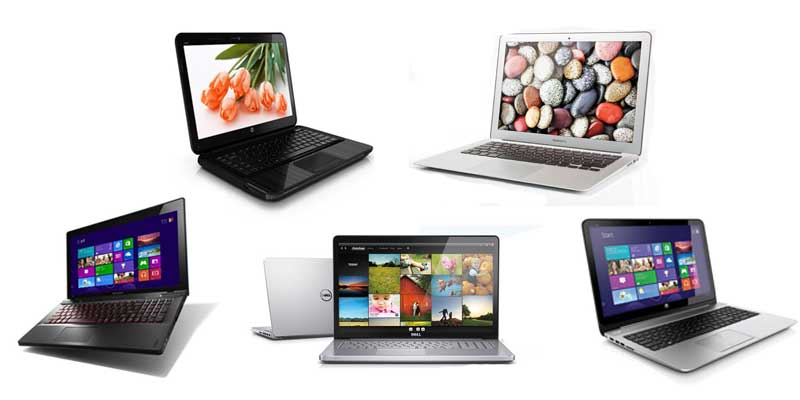 | Computing Devices Get the best deals on laptops in Pune Explore our collection of new and refurbished laptops from top brands. View product → |
Frequently asked questions
How do you match a refurbished laptop to a surveillance workload?
Separate commissioning, live-view decoding, browser-based NVR configuration, evidence export, quotations and remote support. Then match processor, RAM, graphics capability, storage and display to the tasks you will run together.
What should you test before buying a refurbished laptop for camera work?
Open several live feeds, export recorded footage, run the NVR and browser software, and test Ethernet, Wi-Fi, USB, HDMI, audio and charging ports. Confirm that the operating system and required applications are compatible.
Should camera dealers choose a field-service laptop or a desk laptop?
Choose a lighter, tougher laptop with strong battery life for customer sites. Choose a desk laptop with a larger display, more storage and easier upgrades when most work involves office configuration and evidence review.
How can you prepare a refurbished laptop for monsoon operations?
Keep it in a sealed case during transport, prevent condensation before powering it on, use a surge protector or UPS, and keep vents, ports and the charger away from wet surfaces.
Keywords